




Project Overview
This product is a demand service marketplace that connects buyers, sellers & delivery agents on its platform.
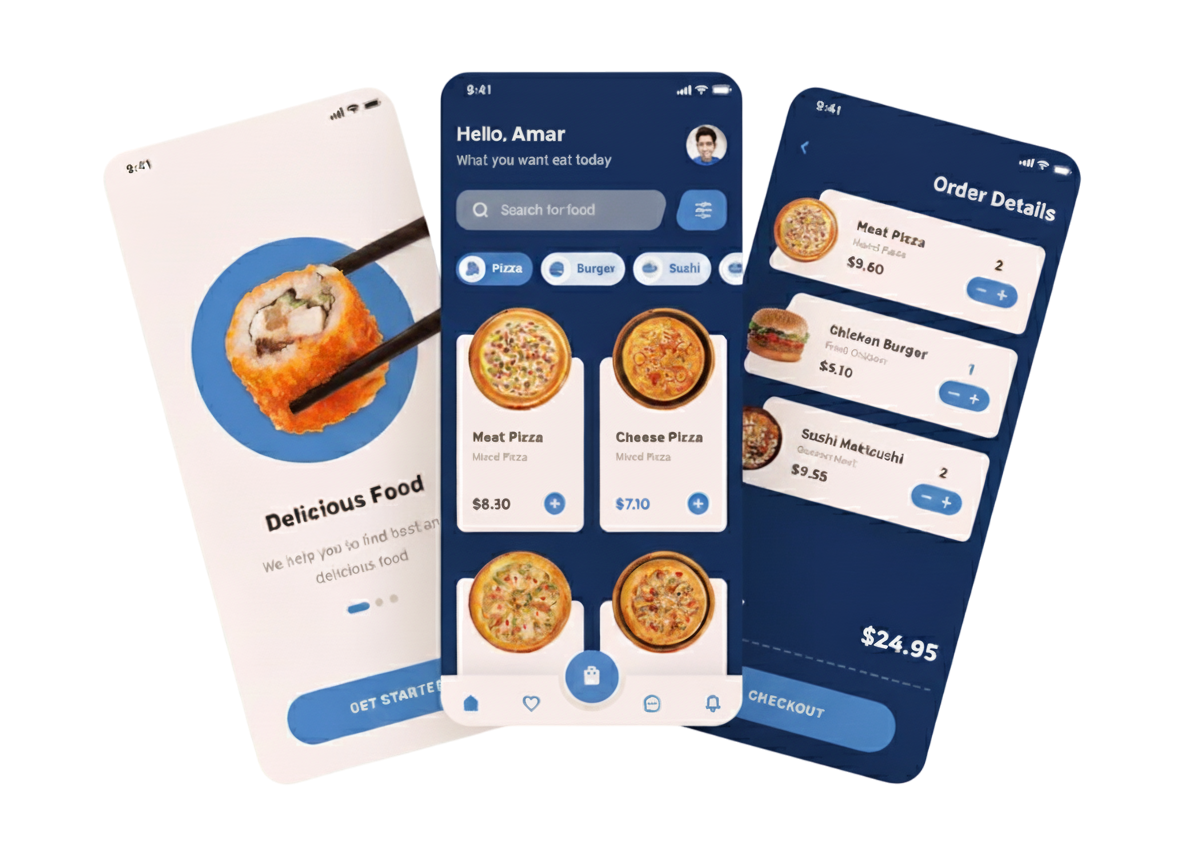
Scope & Limitation
There are 3 Primary users of this Platform:
Customers / Buyers
Search and place an order for food.
Restaurant Owners / Sellers
Prepare and sell food for customers.
Delivery Agents
Deliver food from the restaurant to the customer's address.
The solution we propose will consist of a Buyer (Customer) application for Android and iOS, a Seller (Restaurant Owner) application for Android, and a Delivery Agent application for Android.
The Delivery application will have a flip switch allowing delivery agents to operate as (1) independent delivery agents or (2) affiliated only with specific restaurant owners to perform deliveries to customers.
There will also be a Web Backend with an admin dashboard for the Admin and Sub-admins (limited to a maximum of 3) to manage the application and its users.
Business Requirement Specification
Restaurant Owners
- who wish to sell food. They will be given a capability to list their food item into the catalogue which will be presented to the buyers.
- The menu items will be purged after an expiry period that can last between 1 Hour to 12 Hours to maintain up to date information on fresh selling items.
- The Sellers will manually select the Expiry time for each Menu Item that they will add.
- Items that are not pre populated in the admin approved list of menu items, a special request can be made to add any of the new items in the existing list.
- Items listed will be maintained by the admins on quantity basis.
- Each Restaurant store will display their accumulated ratings from users to aid customers in buying decision.
- Restaurant owner can update the quantity or remove the listing at any time of the day.
Customers
- Can browse through the catalogue and choose to buy food based on dietary preferences (veg/Non veg), rating, price (low to high, high to low).
- A customer while ordering from a Restaurant will also be able to choose one of the two order fulfilment options i.e picking it up from the Restaurant or having it delivered by a delivery agent.
- The customers are also requested to provide ratings for the food items in the menu, which will have an immediate impact on the overall rating of the Restaurant and the item’s dynamic pricing (logic mentioned below in functional requirement section).
- Users are free to leave a rating any point of time, but a gentle push notification is given 30 minutes post-delivery.
- The catalogue will be populated based on proximity of the user location, i.e it will start from the nearest to the farthest Restaurant.
- Max range is 10kms, hardcoded into the system as agreed upon.
Delivery
- Agents role is to pick up the food ordered by the buyer from the Restaurant and have it delivered it to the buyer and get paid for the delivery.
- The max serviceable area for delivery agents is dynamic, and can be controlled by the web admin.
- For now, it is agreed upon as 10km.
The Admins
- Are in charge of administering the entire system, wherein they can moderate Restaurant users, onboard them, or remove them from the platform.
- They are also responsible for setting base prices, price per km charges for delivery, and descriptions of food listings.
- Admins will specify food items into 4 categories – Breakfast, Lunch, Dinner, and Snacks.
The Sub
- Can do everything admin can do except see sales data & transaction history.
Orders & Deliveries
- Customer enters delivery location by moving the map marker or turning on GPS to obtain the current location.
- System checks serviceability based on the customer’s preference of pickup or delivery.
- System shows all Restaurants within 10 km of the selected delivery location.
- Customer places an order → chooses pickup or delivery → order is fulfilled.
- Selected Restaurant is marked as the pickup point.
- System searches for delivery partners within 10 km of the pickup point.
- Users are kept waiting (before final payment) while the system confirms delivery availability with the Restaurant or nearby delivery partners.
- A preset 15 seconds is given to each delivery agent to accept or decline the request before moving to the next nearest partner.
- If no delivery agents are available within 1 minute, the user is notified and given the option to:
1. Proceed with a pickup-based order, or
2. Exit the application.
Reports
- Order history — order list, refund list.
- Today’s sales revenue and calendar-based revenue.
- User administration — buyers, sellers, and delivery agents list (with the ability to suspend & activate accounts), view Restaurant & delivery agent earnings.
- Payouts — how much to pay each user (Restaurant or delivery agents) and refunds to be made.
- Total sales, total refunds, total commissions paid to Restaurants, total commissions paid to delivery agents.
- The platform charges a 10% commission on all transactions.
Customer Use Case
- The customer signs into the mobile application. Existing Restaurant Owners or Delivery Agents can also use this application according to their requirements.
- If the customer has not registered earlier, they can sign up by providing their Name, Phone, Email, and Password.
- An OTP verification will be done on their phone before they can start using the application.
- For login, the customer just needs to provide their phone number and password.
- Once inside the application, the customer enters the delivery location by moving the map marker or turning on GPS to obtain the current location. The app then shows all Restaurants within 10km of the selected delivery location.
- Serviceable areas are identified as areas where delivery agents are available, or where the Restaurant offers delivery. Otherwise, the area will be marked as not serviceable.
- Customers also have the option to browse category-based catalogs of food items from Restaurants near their location.
- The categories are: Breakfast, Lunch, Dinner, and Snacks.
- The customer places an order but is restricted to ordering from a single Restaurant only (i.e., no mixing items from multiple Restaurants). At checkout, they can choose either pickup or delivery.
1. If the customer chooses pickup:
- Selects the pickup option.
- Pays for the order.
- Receives the Restaurant address and can navigate via Google Maps.
- Goes to the Restaurant and picks up the order.
- The Restaurant owner marks the order as complete.
- The customer receives a receipt acknowledgment confirmation.
Customer Use Case
There are 2 cases involved here:
1. When Delivery Personnel is Available:
- The customer will get notified that the food will be delivered within an hour (hardcoded estimate).
- The customer makes the payment online to confirm the order for delivery.
- The food gets delivered to the customer and the entire transaction is complete.
- Users may have to wait up to 1 minute to get the delivery confirmation notification as the system queries available delivery agents.
2. When Delivery Personnel is Not Available or Declines Delivery:
- The customer will be notified that no delivery agents are available.
- The user then has the option to either pick up the order by himself or cancel the order and return to the home screen of the application.
- The customer can cancel the order until the food has been dispatched from the Restaurant. Once dispatched, cancellation is not allowed.
- On cancellation, the customer will get a refund. Refunds are handled manually by the Admin.
- After 30 minutes of pickup or delivery, the customer is gently notified to leave a rating for the food. If the order was delivered, they are also prompted to rate the delivery agent.
Customer Use Case
- The user can view their order status and history of past orders.
- The rating system will consist of five stars, shown exactly 30 minutes after delivery. Ratings directly affect food prices as follows:
5★ → +1%
4★ → +0.5%
3★ → No change
2★ → -0.5%
1★ → -1%
- Additional feedback options:
Tick boxes for packaging quality and timely delivery.
A text box (500 characters) for complaints and suggestions.
- Pricing rules:
The lower limit is 50% of the base price, beyond which prices will not go down.
There is no upper limit.
Restaurant owners can also provide discounts for specific items.
Restaurant Owner Use Case
The Restaurant Owner signs into the Android application. Existing Customers or Delivery Agents can also use this application according to their requirements.
1. If registering for the first time:
- The Restaurant Owner selects the Register screen.
- They enter their Name, Mobile Number, Email ID, and Aadhaar Number for verification.
- The system authenticates the Aadhaar Number and verifies the Mobile Number via OTP.
- Upon successful OTP verification, the Restaurant Owner can log in using their Mobile Number and Password.
- They are then redirected to the profile setup screen.
2. Profile Setup:
- The Restaurant Owner provides Restaurant Name, Restaurant Image, Geo-location/Address, and Phone Number, then clicks Submit.
- They can set up their menu list daily by selecting food items pre-populated by the Admin.
- If a required menu item is not available, they can request the Admin to add it.
- The Restaurant Owner specifies the quantity of each menu item and sets an expiry period (1 to 12 hours).
- Menu quantities automatically decrease as orders are received.
- Menu items and quantities can be updated anytime.
3. Orders:
- The Restaurant Owner gets an alert when an order is received.
- The order list includes: Order ID, Order Date, Time, Customer Name, Mobile Number, Delivery Address, Pin Location, Ordered Items, and Delivery/Pickup preference.
- Commercial Restaurants will be listed with a special tag, but functionality remains the same.
- Restaurant Owners can also provide discounts on menu items.
Scenarios:
1. If Delivery is Requested by the Customer:
Option A: The Restaurant Owner accepts the delivery request.
- They must accept within 15 seconds; otherwise, it passes to the nearest Delivery Agent (who also has 15 seconds to accept). This process repeats for 1 minute.
- If no one accepts, the customer is notified: “Delivery agents are not available. Please pick up the order or cancel.”
- If the Restaurant Owner accepts delivery, they receive an OTP which must be entered into the Delivery Agent’s app.
- Once the Delivery Agent accepts, the customer sees: “Your order got confirmed, please proceed to pay.”
- The Delivery Agent sees: “Please await payment confirmation.”
- After payment, both the Restaurant Owner and Delivery Agent receive an OTP.
- The Delivery Agent collects this OTP at pickup, enters it, and the order status updates to “Order Dispatched.”
Option B: The Restaurant Owner is not interested in delivery.
- The order is passed directly to the nearest Delivery Agent, following the same process described above.
2. If Pickup is Selected by the Customer:
- After payment, the Restaurant Owner marks the order as ready for pickup.
- When the customer collects the order, the Restaurant Owner updates the status as “Completed.”
- The customer receives an acknowledgement: “Order has been delivered.”
- Notes:
The Delivery Agent application is standalone for processing all delivery requests.
Customers, Restaurant Owners, and Independent Delivery Agents can all register and use the application.
Delivery Use Cases
Scenario 1: Using the Delivery Application as a Restaurant Owner
- The Restaurant Owner can log in/register with the same credentials as the main app or use separate credentials.
- Inside the app, the Restaurant Owner must select “Exclusive Mode.” In this mode, they are not considered for delivery requests from other Restaurants. Instead, they handle deliveries for their own Restaurant.
- If signed up for delivery, the Restaurant Owner must accept delivery requests within 15 seconds.
If Accepted within 15 Seconds:
- The Restaurant Owner enters the unique ID (generated in the Restaurant application) into the delivery application before dispatch.
- The order status changes from “Processing” to “Left for Delivery.”
- Once the delivery is completed, the order is marked as “Complete.”
- The customer receives an order delivered acknowledgement.
If Rejected or Not Accepted within 15 Seconds:
- The system searches for the next available Delivery Agent.
- This process continues until 1 minute has passed or a Delivery Agent accepts.
Scenario 2: Using the Application as an Independent Delivery Agent
- A new Delivery Agent must register by providing Name, Email, Phone, Password, and Aadhaar Number.
- Phone and Aadhaar verification is required.
- Delivery Agents can log in using their Phone and Password.
Inside the application:
- Agents can toggle between “Accepting Deliveries” mode or “Not Accepting Deliveries” mode.
- If available, the agent is notified of incoming order requests.
If a Delivery Agent Accepts the Order:
- They wait for a notification confirming that the customer has paid.
- They go to the Restaurant, collect the unique ID from the Restaurant Owner, and enter it into the app.
- The order status changes from “Processing” to “Left for Delivery.”
- After reaching the customer’s location, they mark the delivery as “Complete” and close the transaction.
If No Agents Accept:
- The system continues searching for the next delivery agent.
- If no one accepts within 1 minute, the customer is notified to either pick up the order themselves or cancel it.
Order Cancellations:
- If a customer cancels the order before dispatch, the Delivery Agent is notified and does not need to proceed with the delivery.
Deliverables
- Web Admin Panel
- Android & iOS App for End Users (Customers/Buyers)
- Android App for Restaurant Owners (Sellers)
- Android App for Delivery Agents
- Source code for all the above-mentioned deliverables will also be provided.
OS Specification
- Server: VPS or Dedicated Server – AWS or Digital Ocean is a preferred server.
- Recommended: Minimum 2GB RAM, 1 vCPU, 2TB Transfer, and at least 20GB SSD storage.
- Software: PHP, MongoDB, Native Android & Native iOS.
Need any expert business & Consulting services?

India
Registered Office
#6, Ground Floor, Kaanchan, North Huzur Road, Coimbatore, Tamil Nadu, 641018
Direction →Development Center
7/2A, Shreesha Building, First Floor, Singanallur, Coimbatore, Tamil Nadu, 641005
Direction →


Scan for Location

Quick access to our development center location via Google Maps.
©2025 Softworks Technologies. All Rights Reserved
Registered As : SFW Technologies India Pvt Ltd


